Choreless Admin Dashboard
Choreless ran its laundry operation on a third-party tool. We built an admin dashboard around how the facility really works: wet and dry orders, add-ons, preferences and delivery methods, from intake to payment.
- Client
- Choreless Laundry
- Role
- Product design lead (UX / UI)
- Scope
- Order processing, payments, credit
- Platform
- Desktop web app
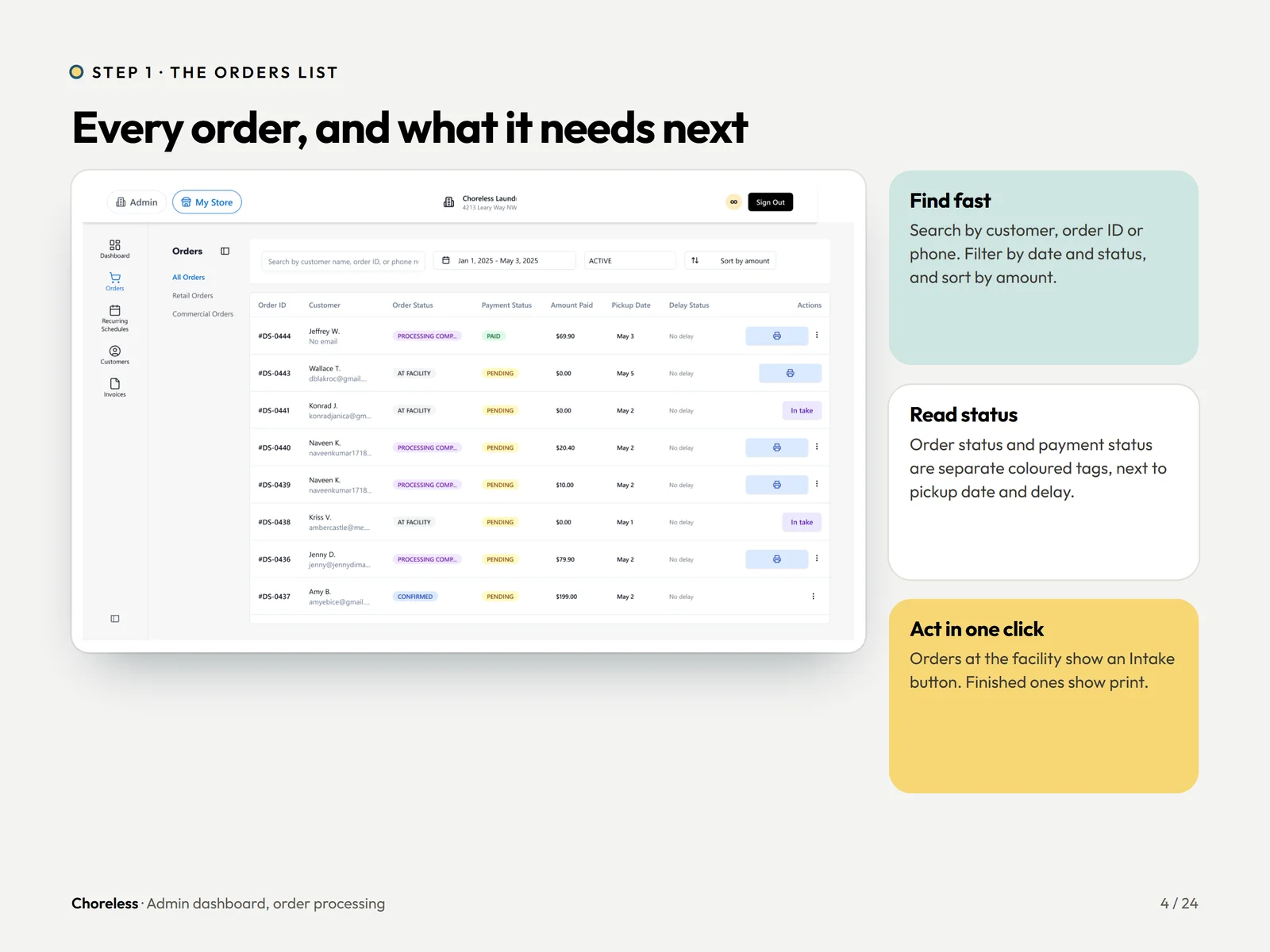
One order, ten steps, one dashboard.
Find, open, intake, weigh, process, pack, notify, pay. Staff always see where an order is and which button moves it forward.
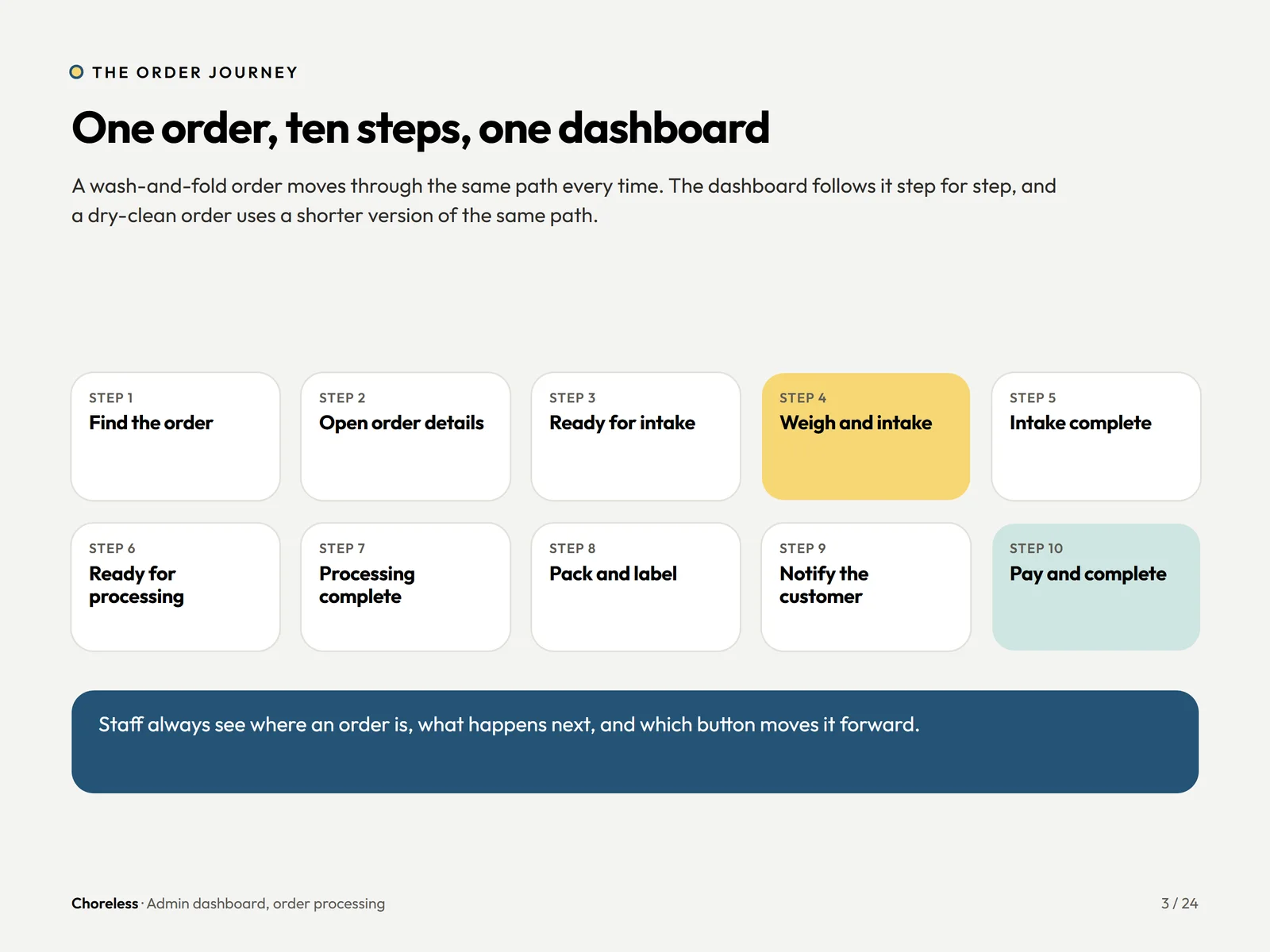
Every order, and what it needs next.
Search by customer, order ID or phone. Coloured status tags sit beside pickup times, with one action per row.
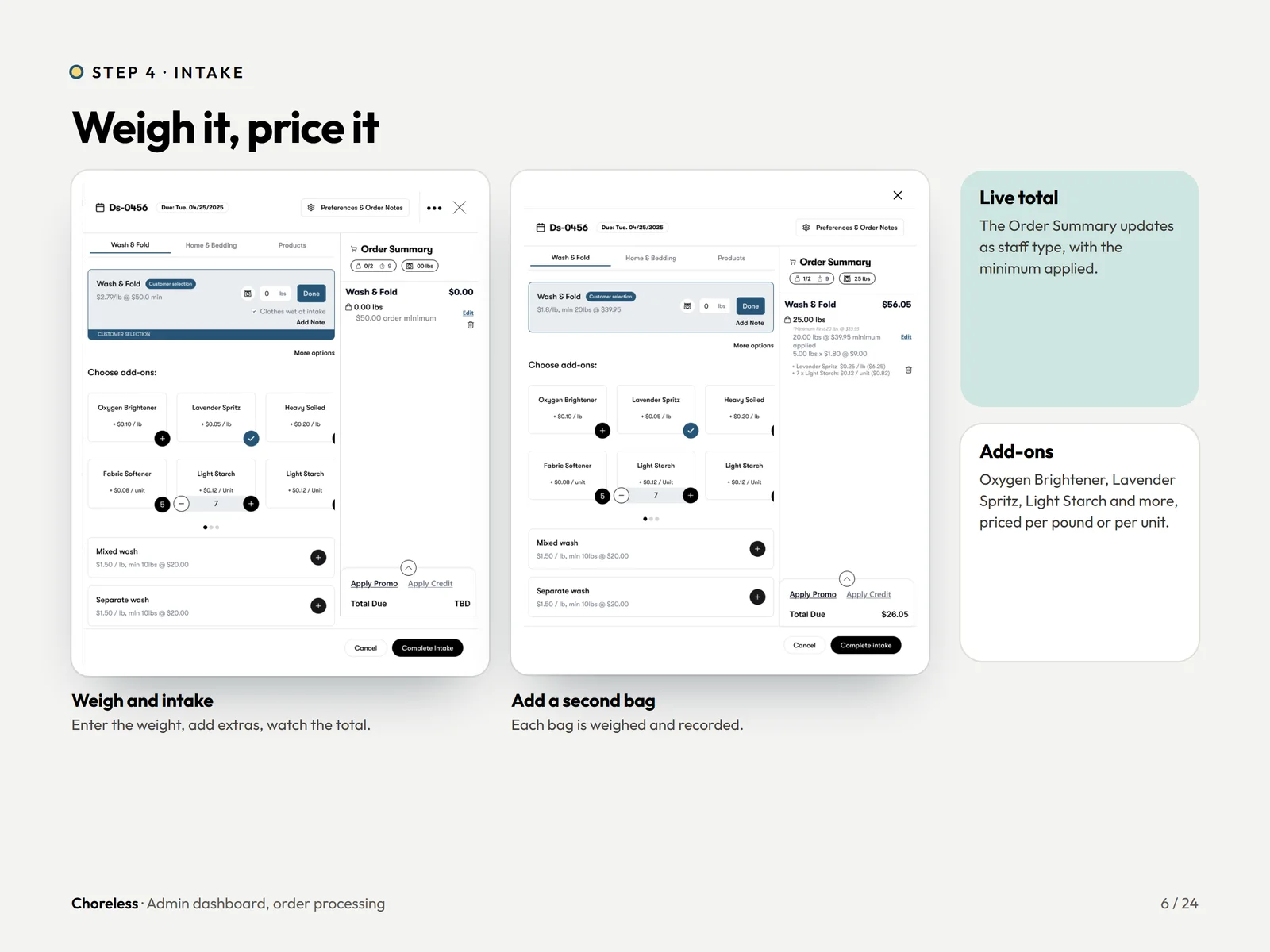
Weigh it, price it.
The order summary updates with a live total as staff weigh the bags and add extras.
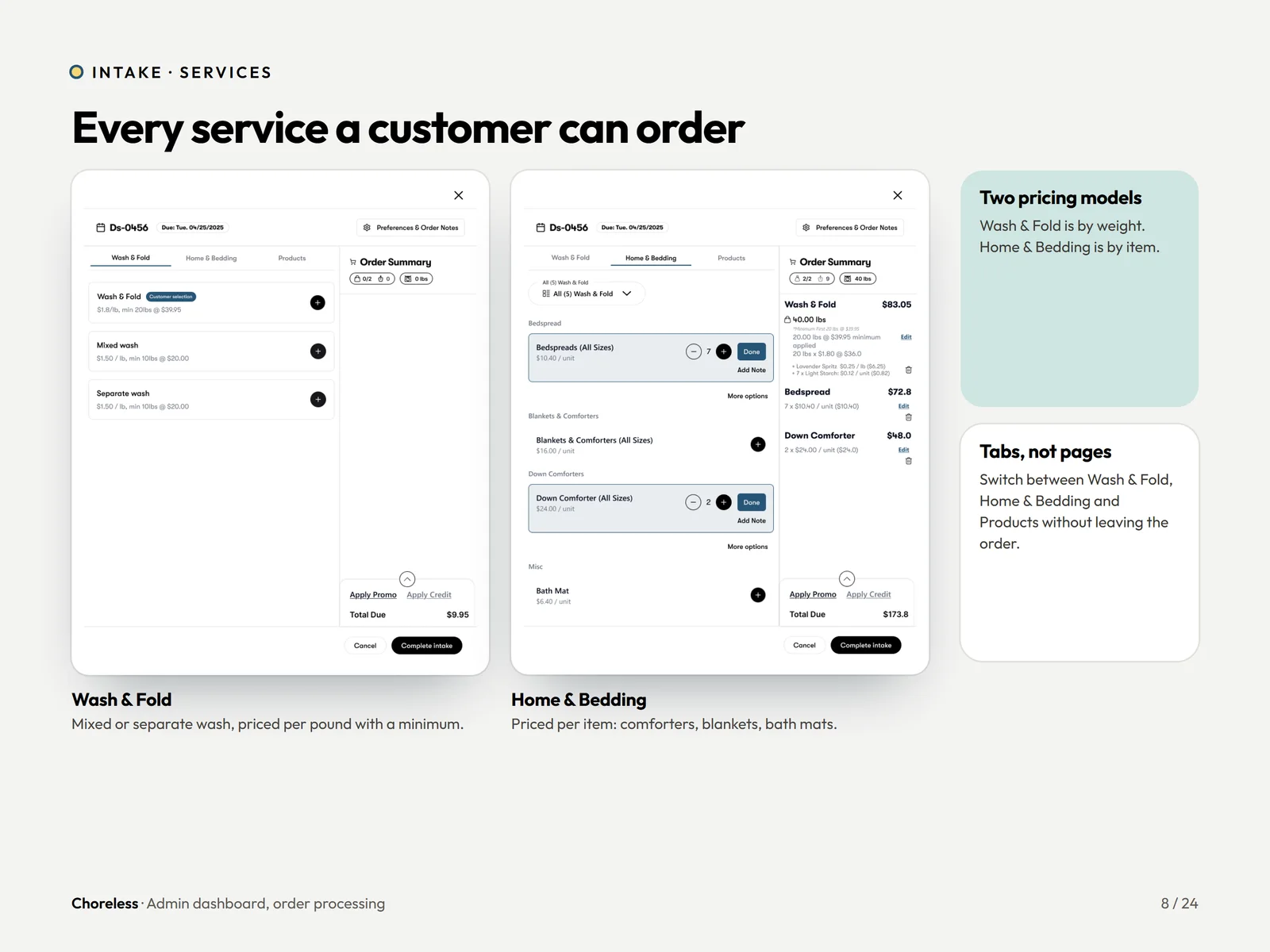
Every service a customer can order.
Wash & Fold is priced by weight, Home & Bedding by item. Tabs switch between them without leaving the order.
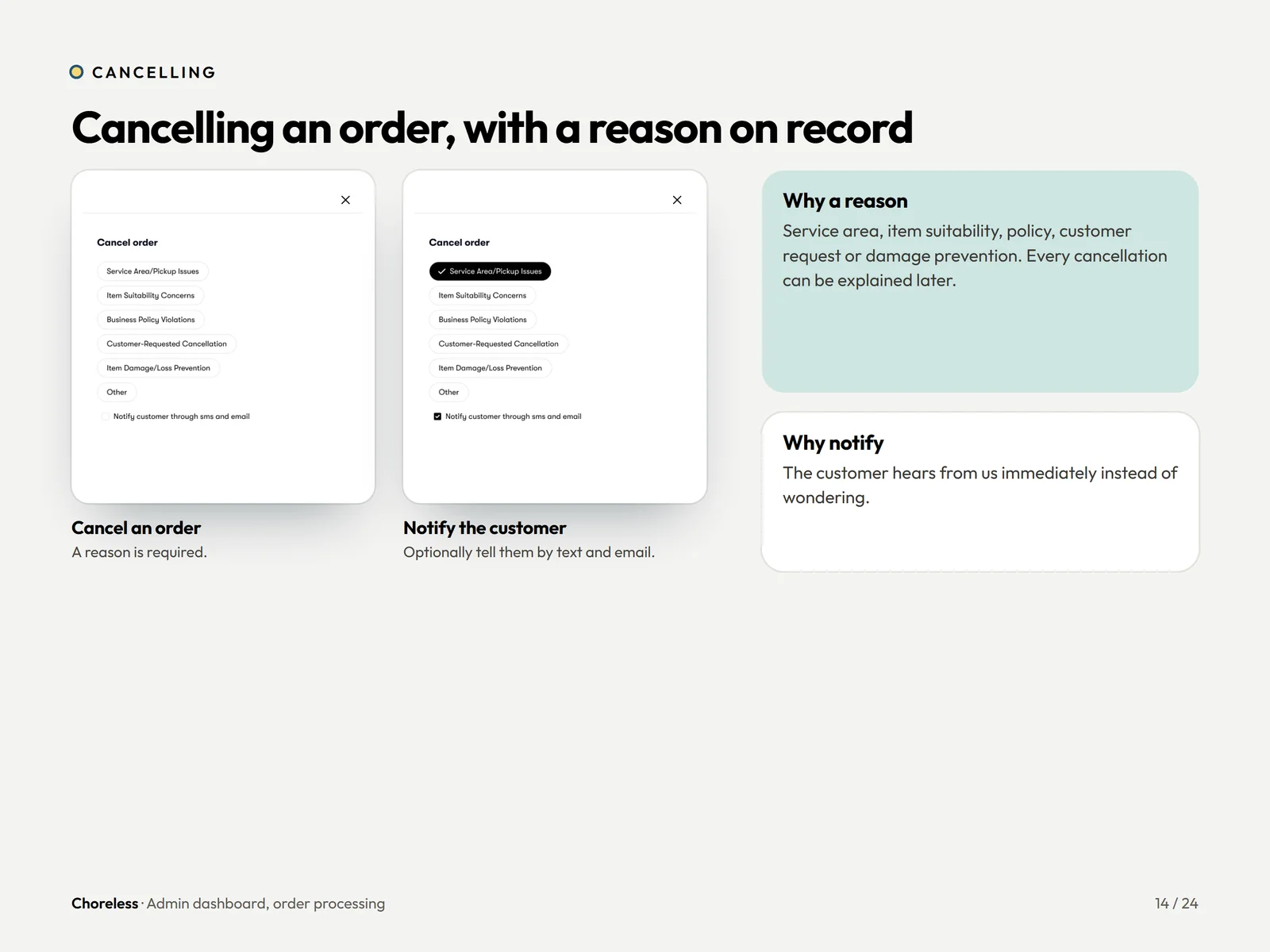
Cancel an order, with a reason on record.
A reason is required, and the customer can be told by text and email straight away.
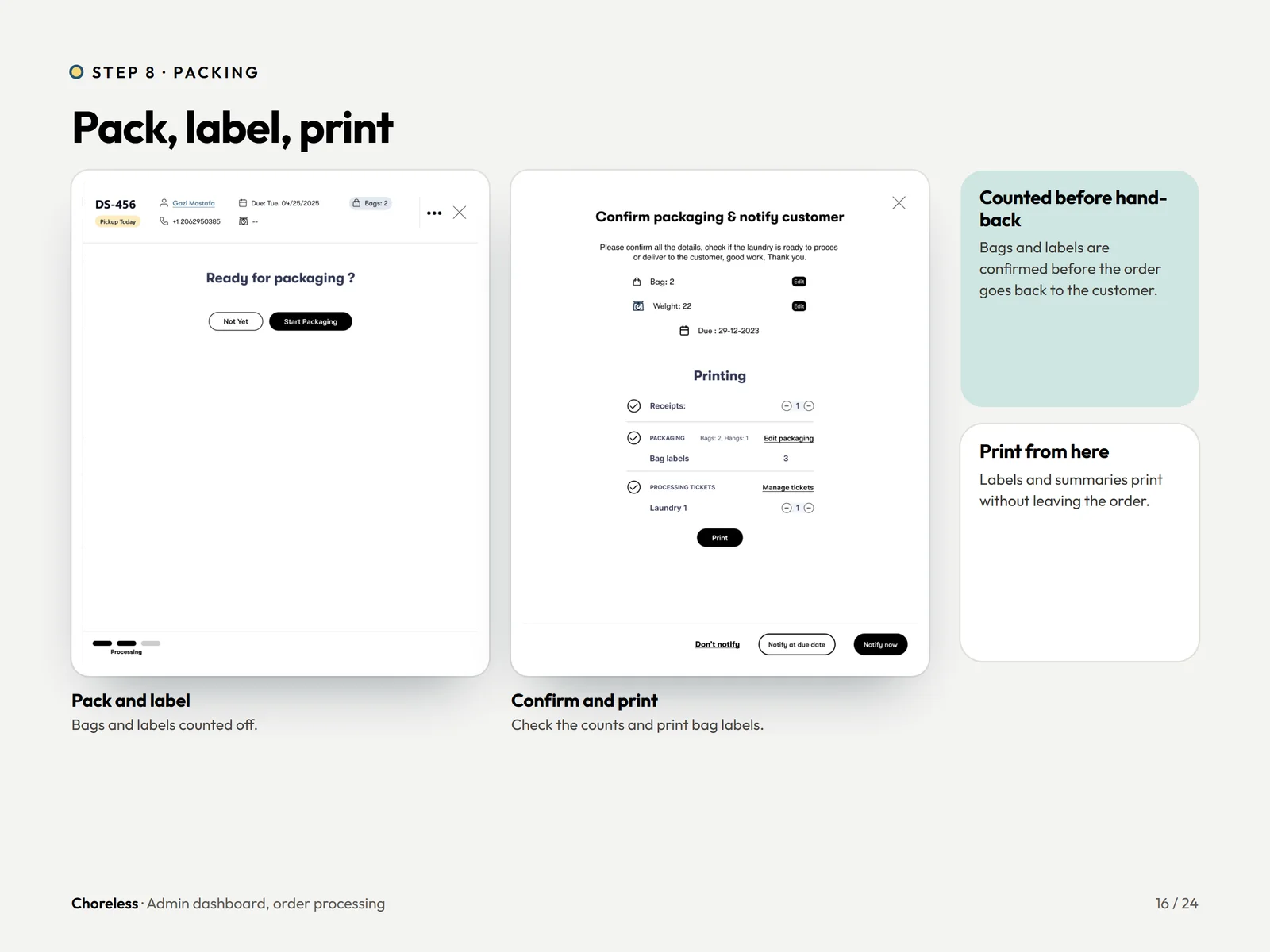
Pack, label, print.
Bag and label counts are confirmed before handback, and labels print on the spot.
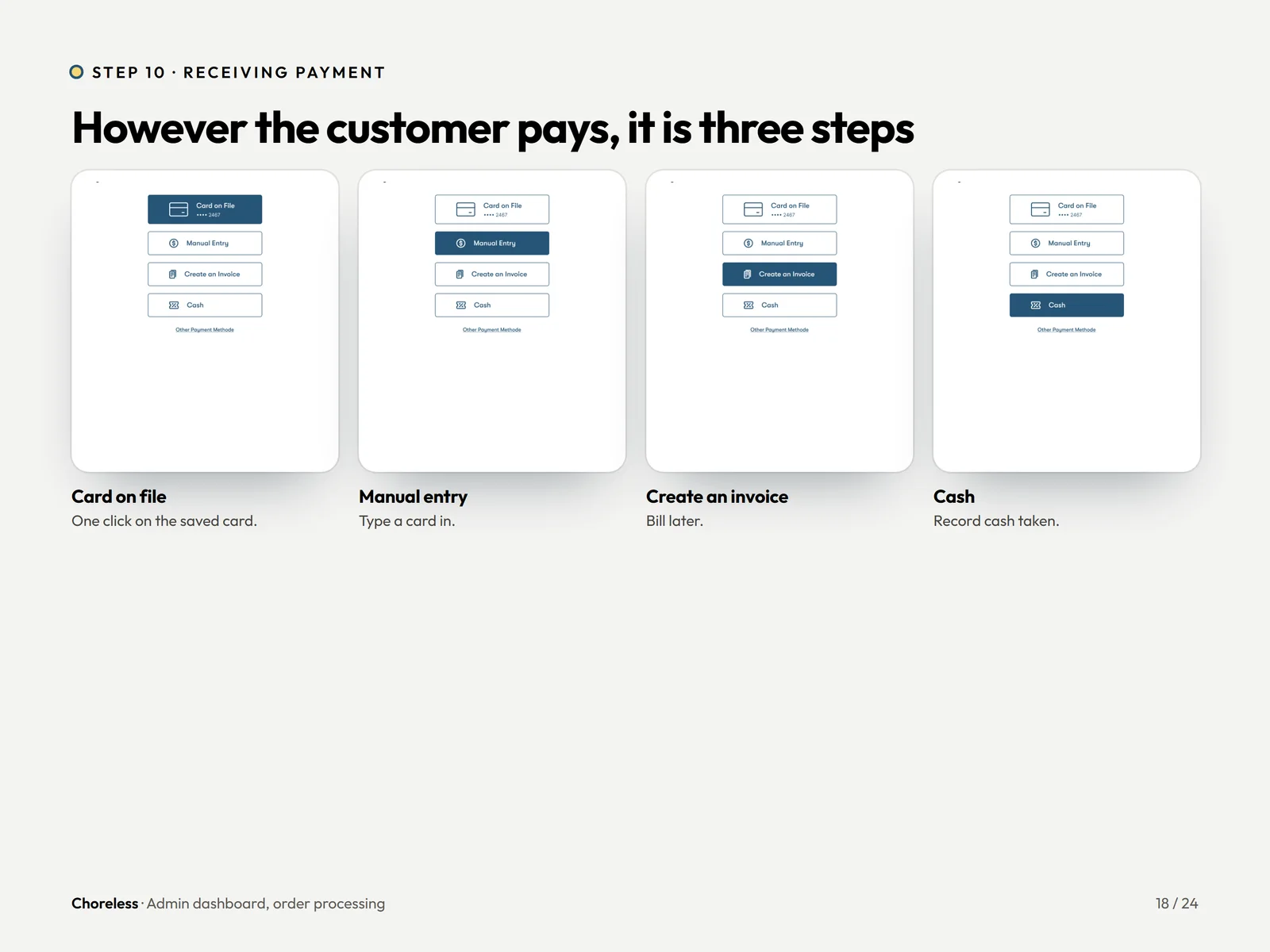
However the customer pays, it is three steps.
Card on file, manual entry, create an invoice, or record cash.
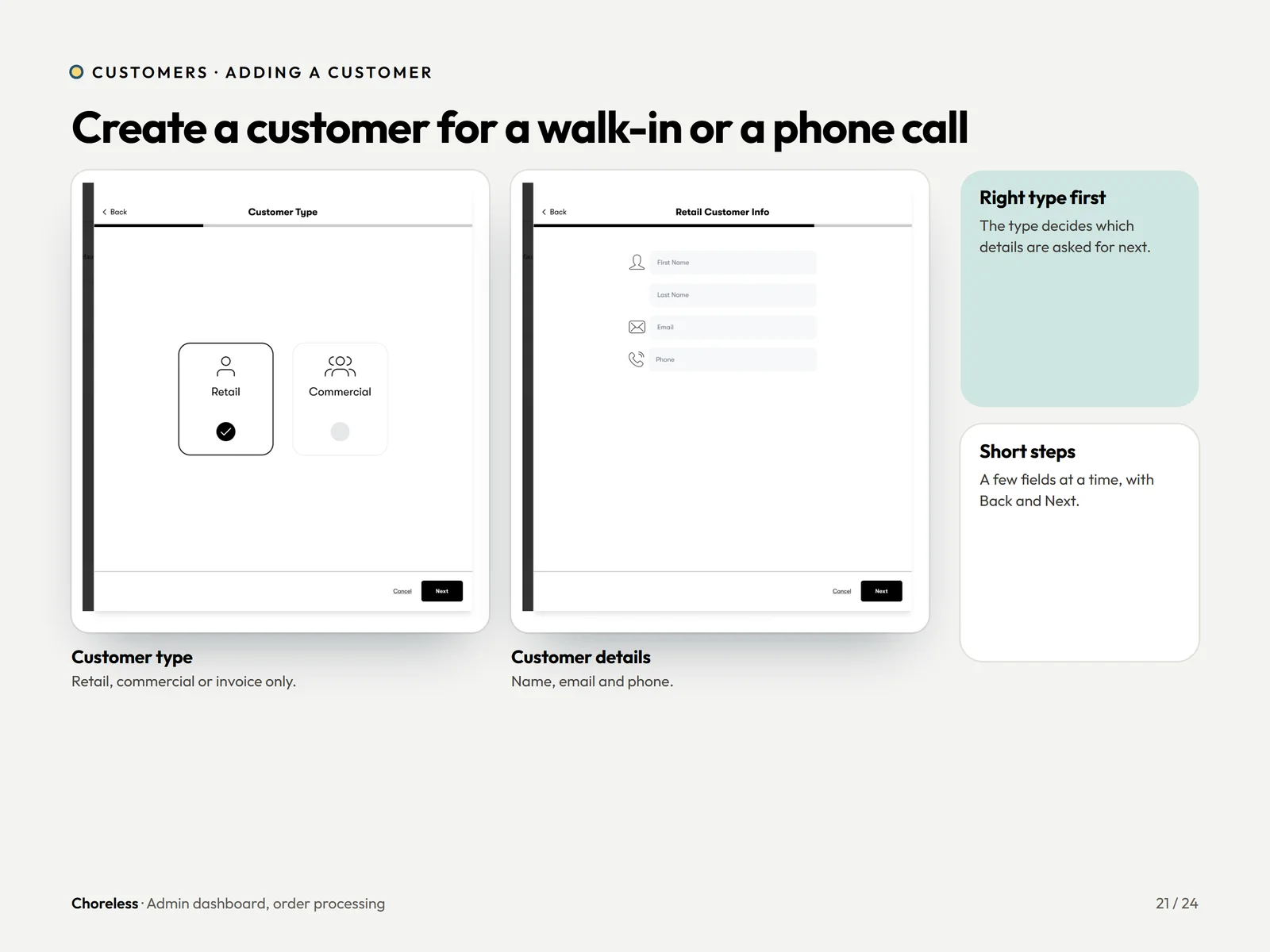
Create a customer for a walk-in or phone call.
Retail or commercial first, then a few short fields. The address step matches the customer app.
Want a flow this clear?
Internal tools get used all day by the same few people, so small savings repeat hundreds of times. If your team still runs on a tool that was not built for them, let us show you the alternative.