Choreless Customer Dashboard
The first Choreless dashboard went live and customers used it. We listened, studied how they used it, and rebuilt it for a clearer flow: orders grouped by status, every change in a short pop-up, plans and referrals in one sidebar.
- Client
- Choreless Laundry
- Role
- Product designer (UX / UI)
- Scope
- Desktop and mobile dashboard
- Status
- Live
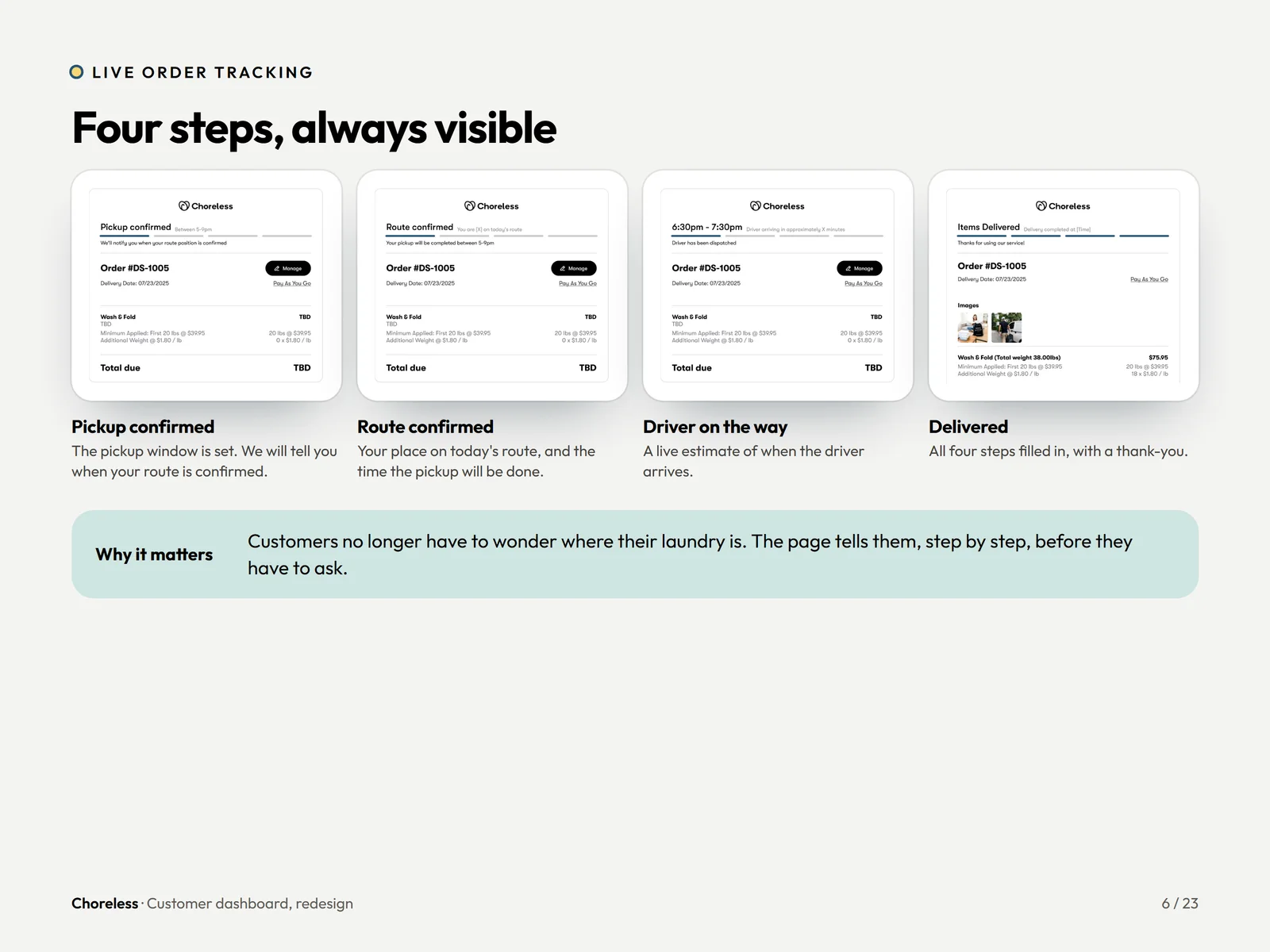
From one list to a dashboard that does more.
Version one was a single list with a status chip on each order. The redesign groups orders, replaces the chip with a tracker and adds shortcuts for rewards, referrals and help.
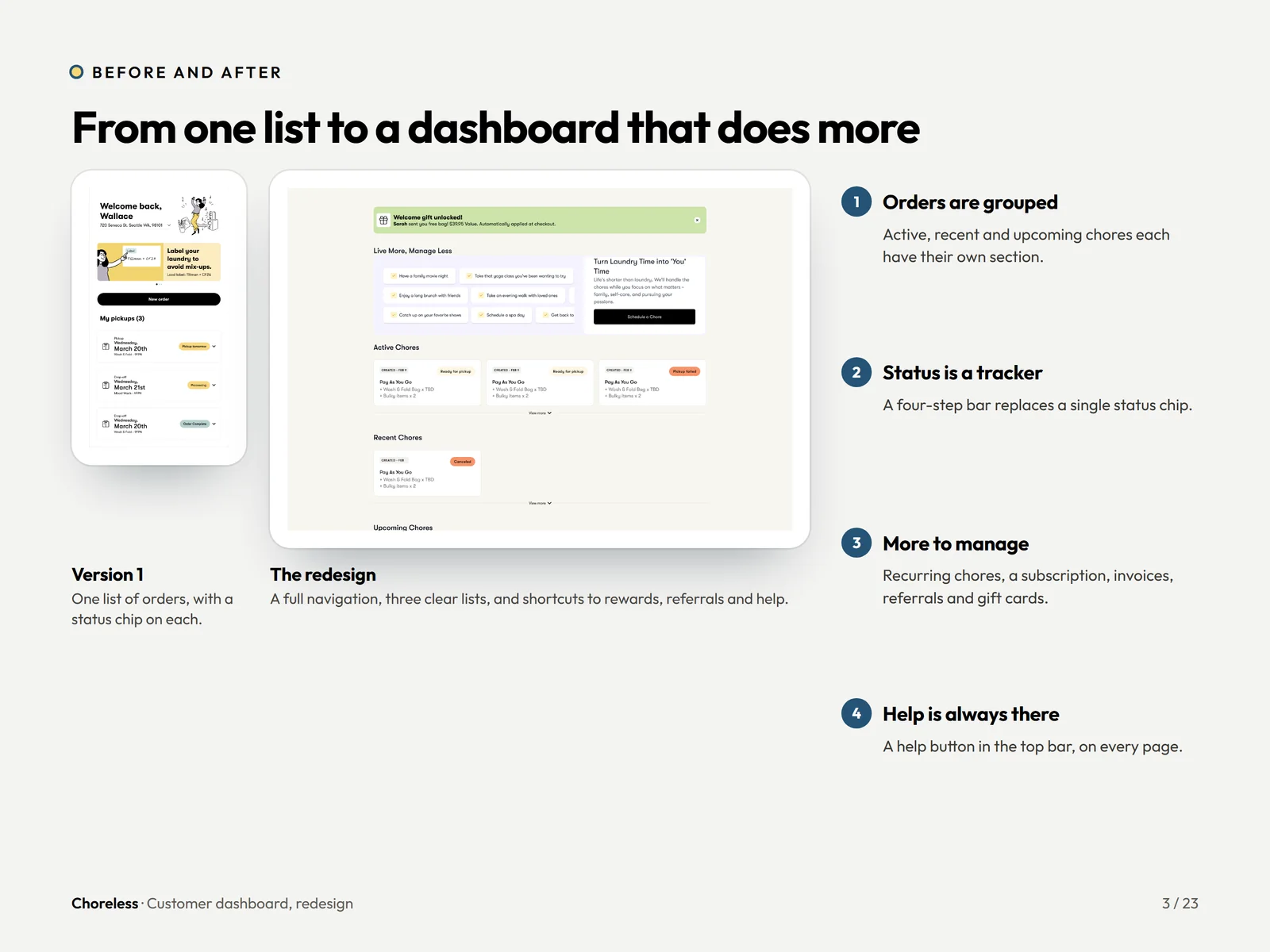
Everything has a place in the sidebar.
Home, schedule a chore, chores and recurring, subscription and account, refer a friend. Help is always in the top bar.
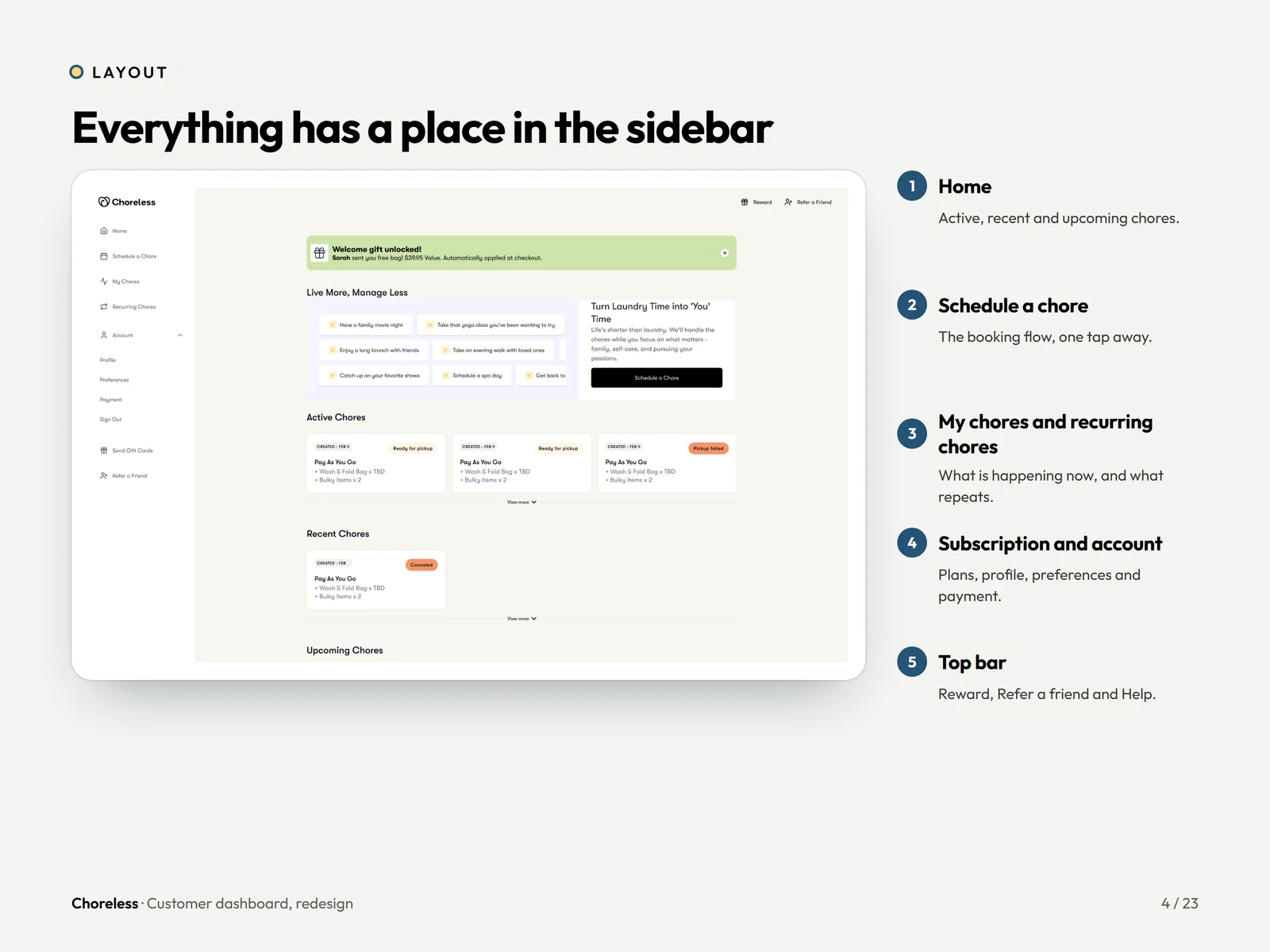
Four steps, always visible.
Pickup confirmed, route confirmed, driver on the way, delivered. Customers no longer wonder where their laundry is.
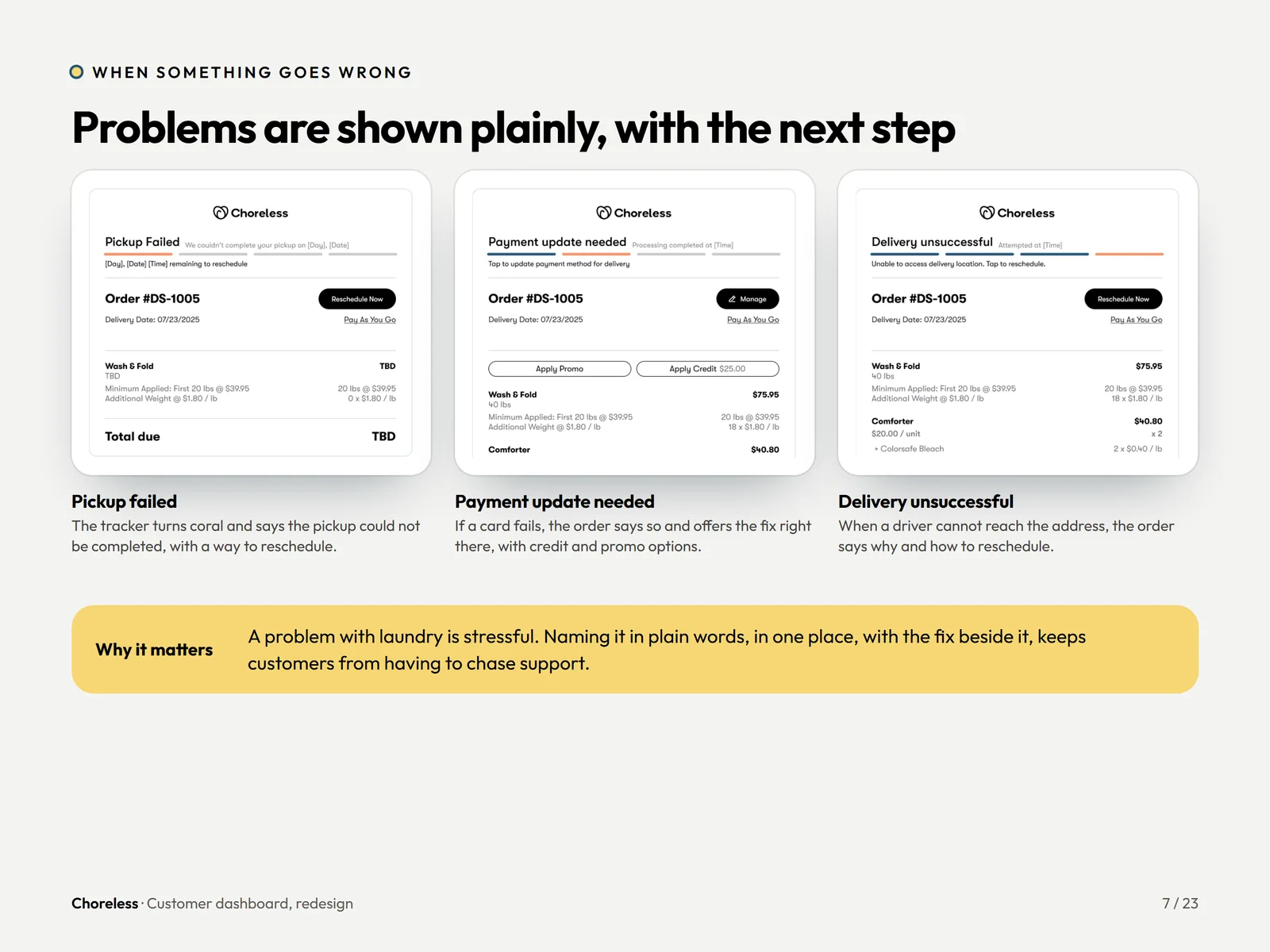
Problems shown plainly, with the next step.
A failed pickup, a declined payment or an undeliverable order each names the problem in plain words with the fix right beside it.
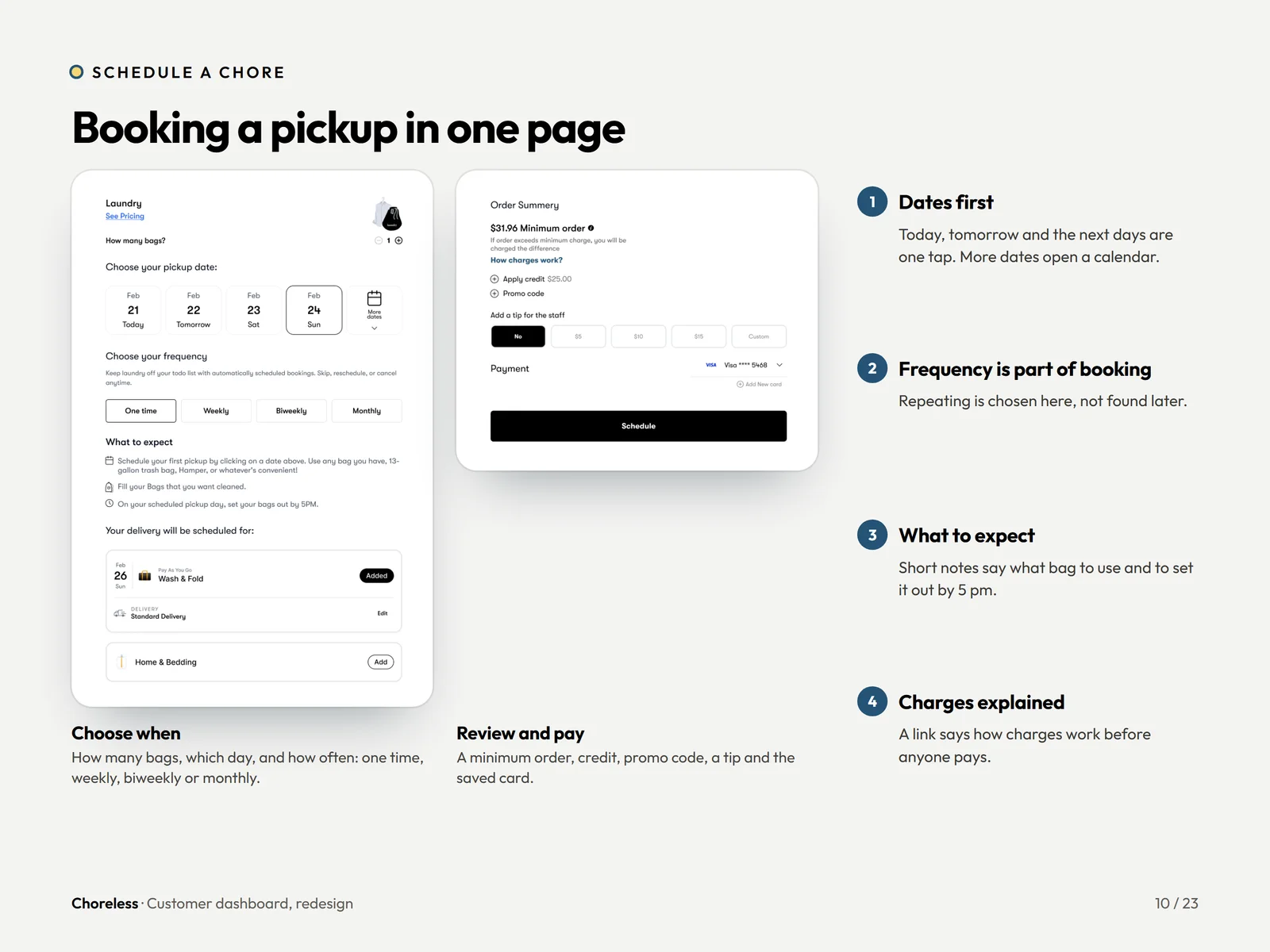
Booking a pickup on one page.
Dates, frequency, what to expect and charges explained, with a review step before the customer pays.
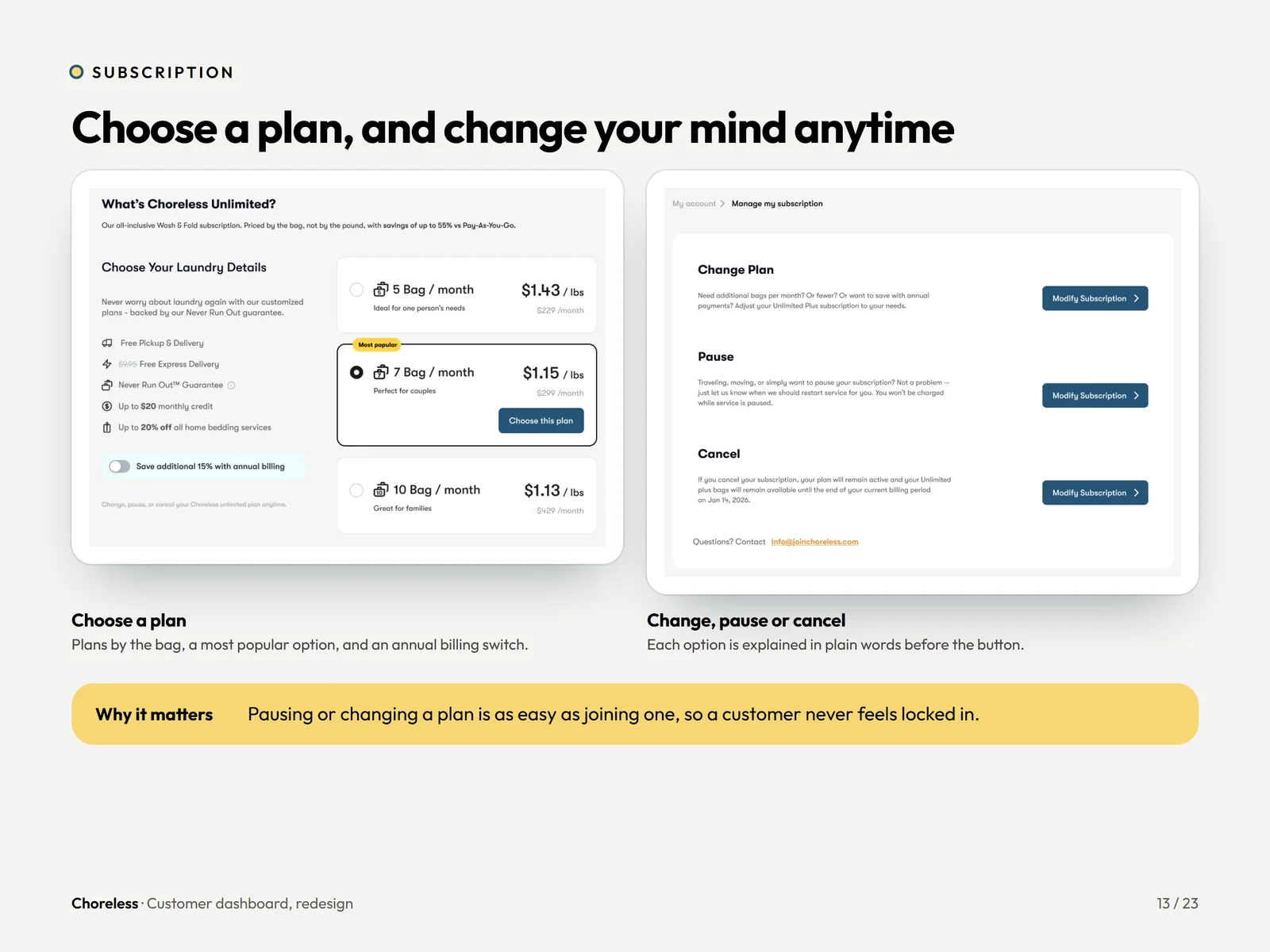
Choose a plan, and change your mind anytime.
Plans by the bag, usage this month, and pause, change or cancel each explained in plain words beside the button.
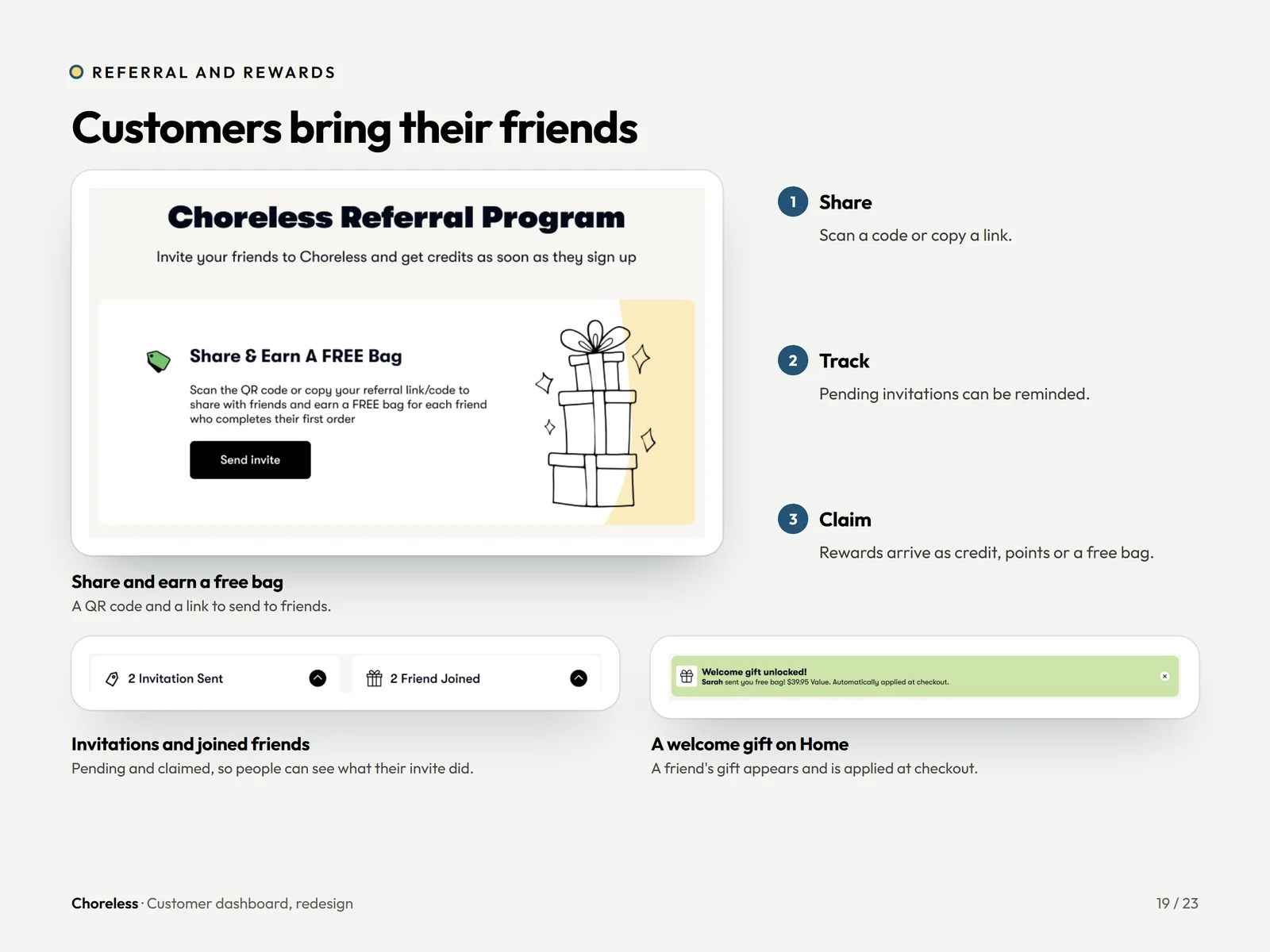
Customers bring their friends.
Share, track and claim. An invitation sent, a friend joined and a welcome gift applied at checkout.
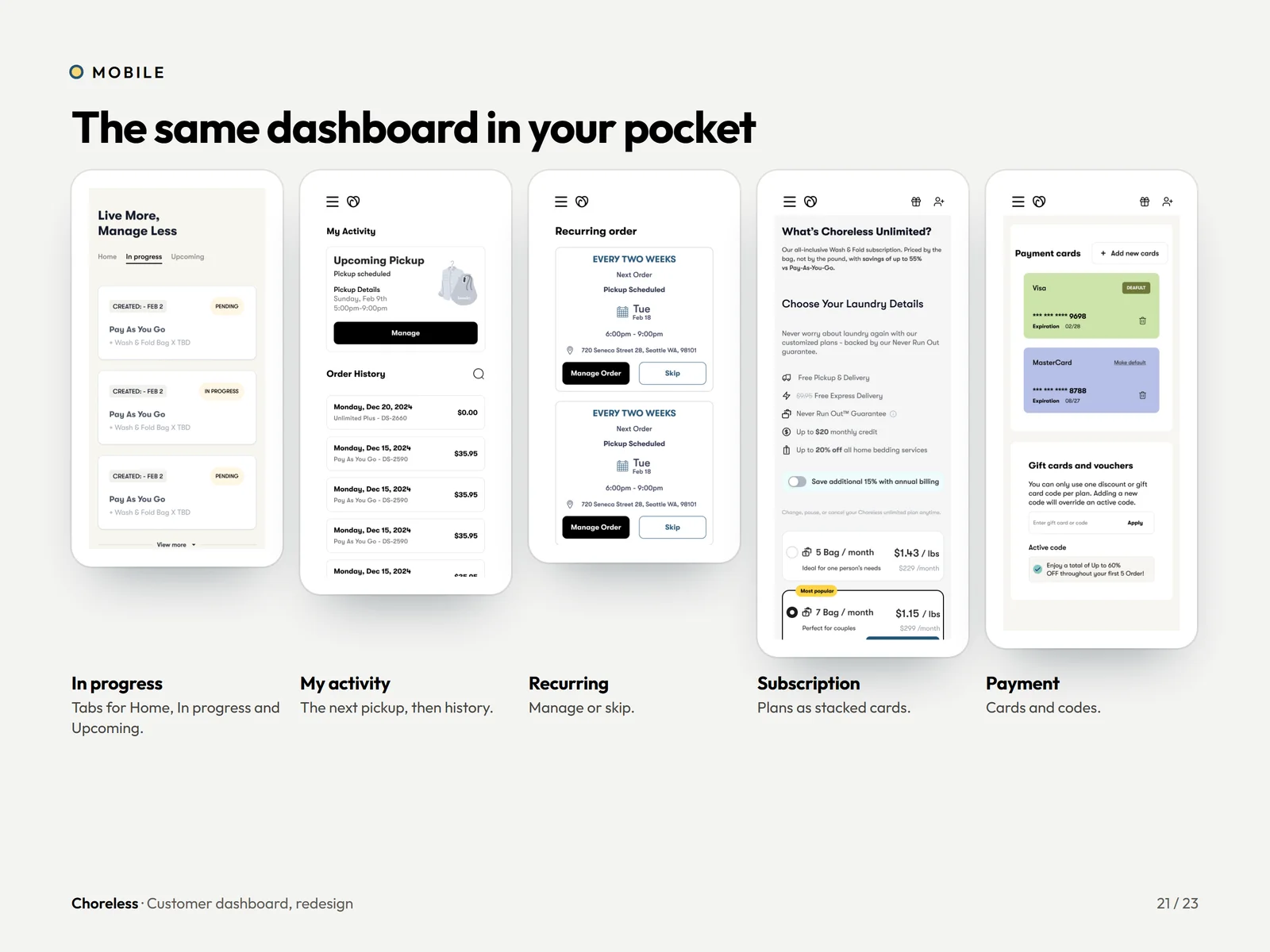
The same dashboard in your pocket.
Tabs for in progress, activity and recurring orders, with subscription and payment cards stacked for one thumb.
Want a flow this clear?
Customers who can see their order, change it and pay without calling anyone do not churn quietly. If your customer portal does the opposite, let us show you the fix.