Choreless Dashboard, Version 1
Before this, Choreless customers managed orders in a third-party tool. We designed their first dashboard of their own: a sidebar, one card in the middle and a status chip on every order. It went live, we watched how people used it, and redesigned it.
- Client
- Choreless Laundry
- Role
- Product designer (UX / UI)
- Scope
- Customer web dashboard
- Version
- First, then redesigned
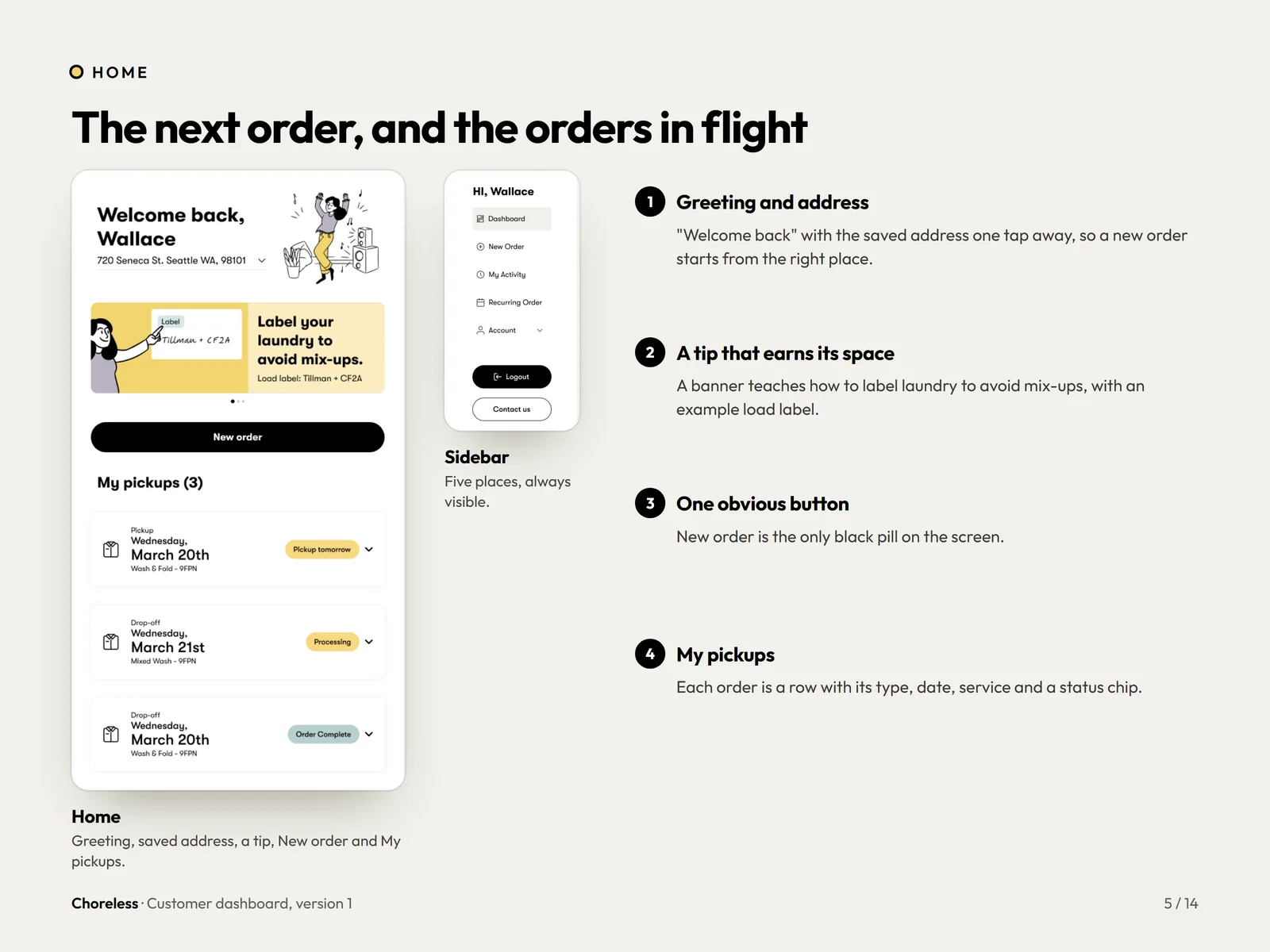
One card in the middle, everything else on the side.
An always-there sidebar, one card to focus on and a calm canvas.
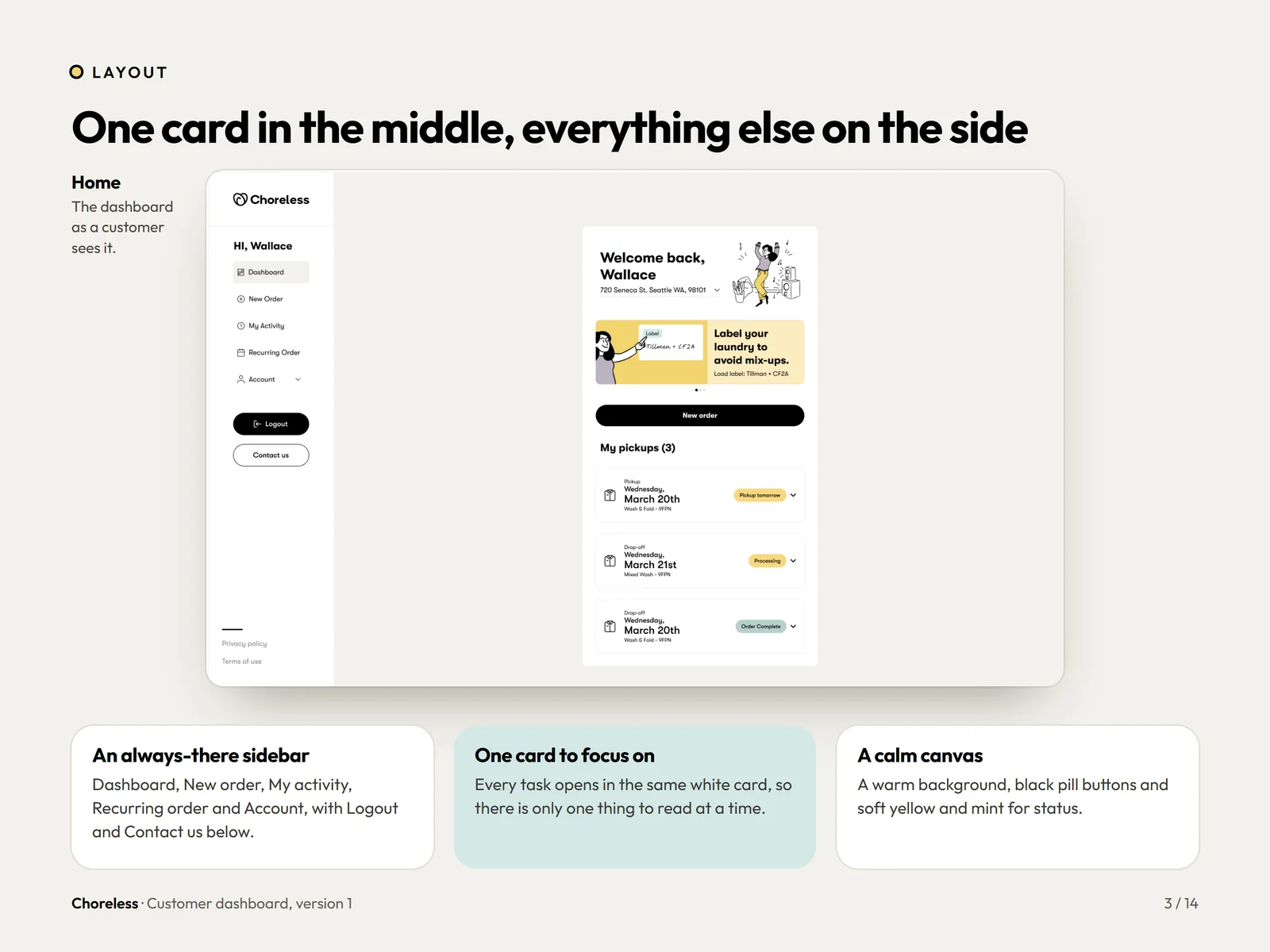
Signed out, there is only one question.
Phone number first. Order updates arrive by text, so it is the one thing the service needs.
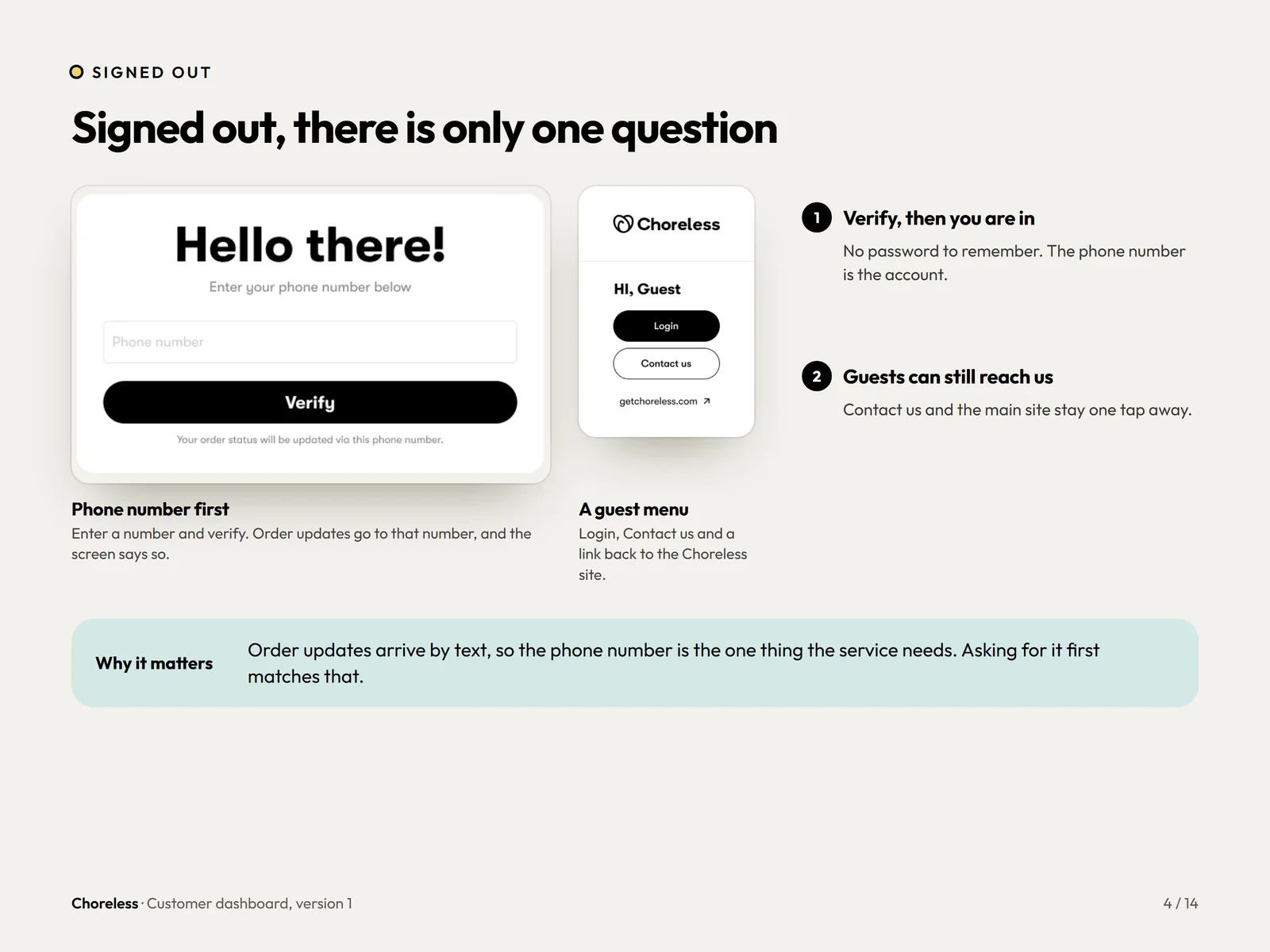
The next order, and the orders in flight.
A greeting, the saved address, one black New order button and the pickups list.
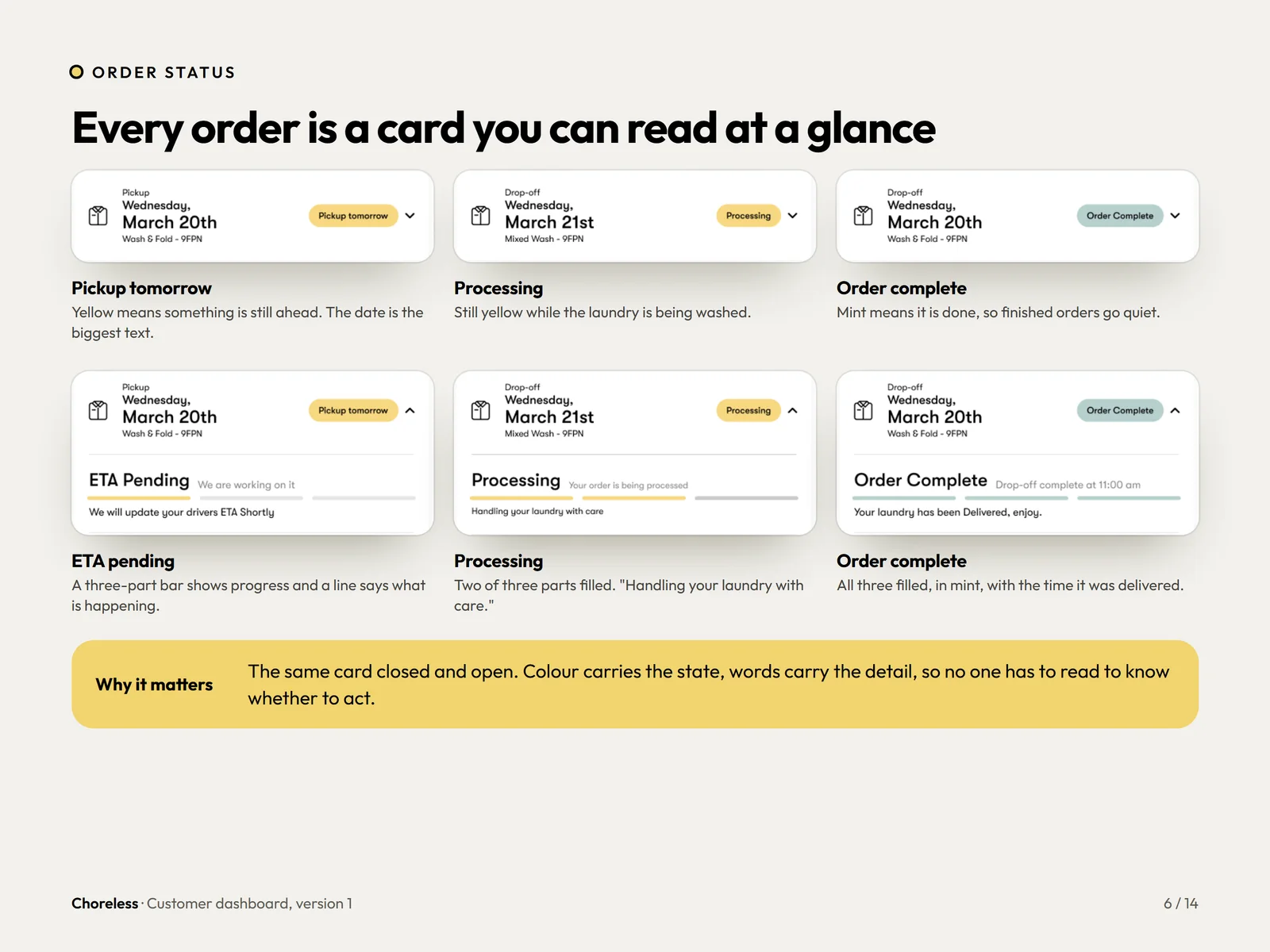
Every order is a card you can read at a glance.
Colour carries the state and words carry the detail, so nobody reads to know whether to act.
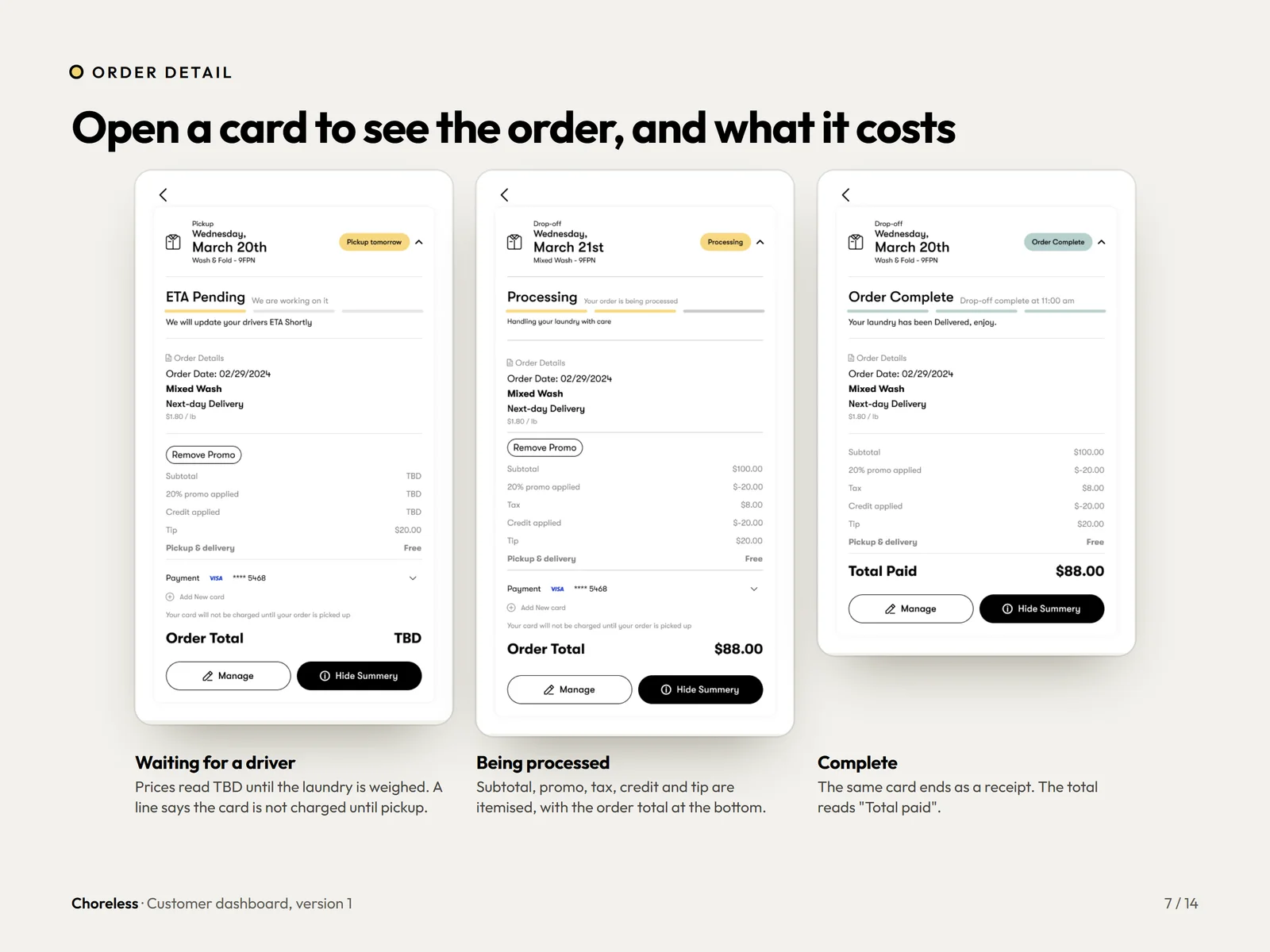
Open a card to see the order, and what it costs.
Prices read TBD until the laundry is weighed, then the subtotal, tax and tip are itemised.
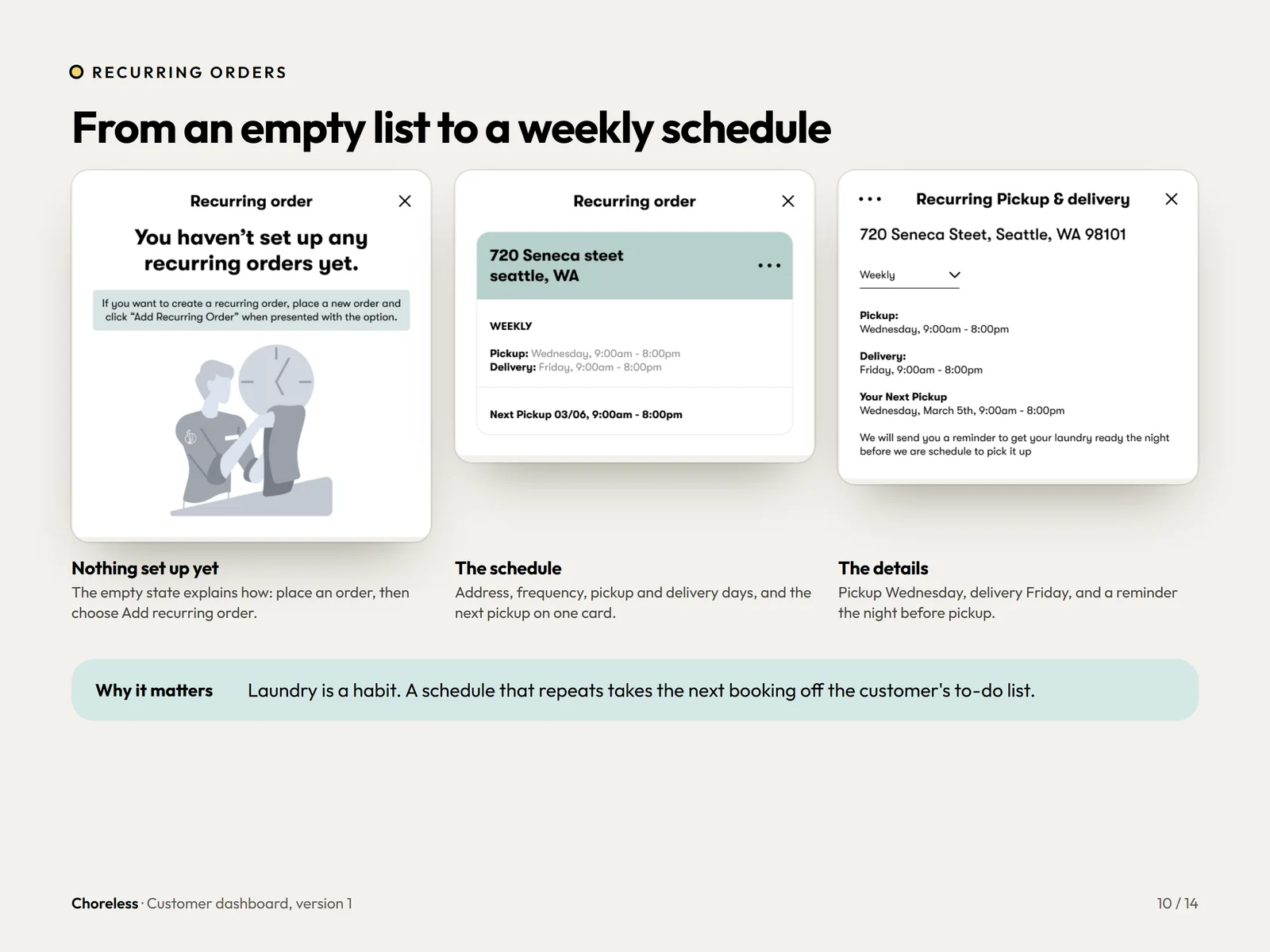
From an empty list to a weekly schedule.
An empty state explains how, then a schedule shows frequency, pickup and delivery days.
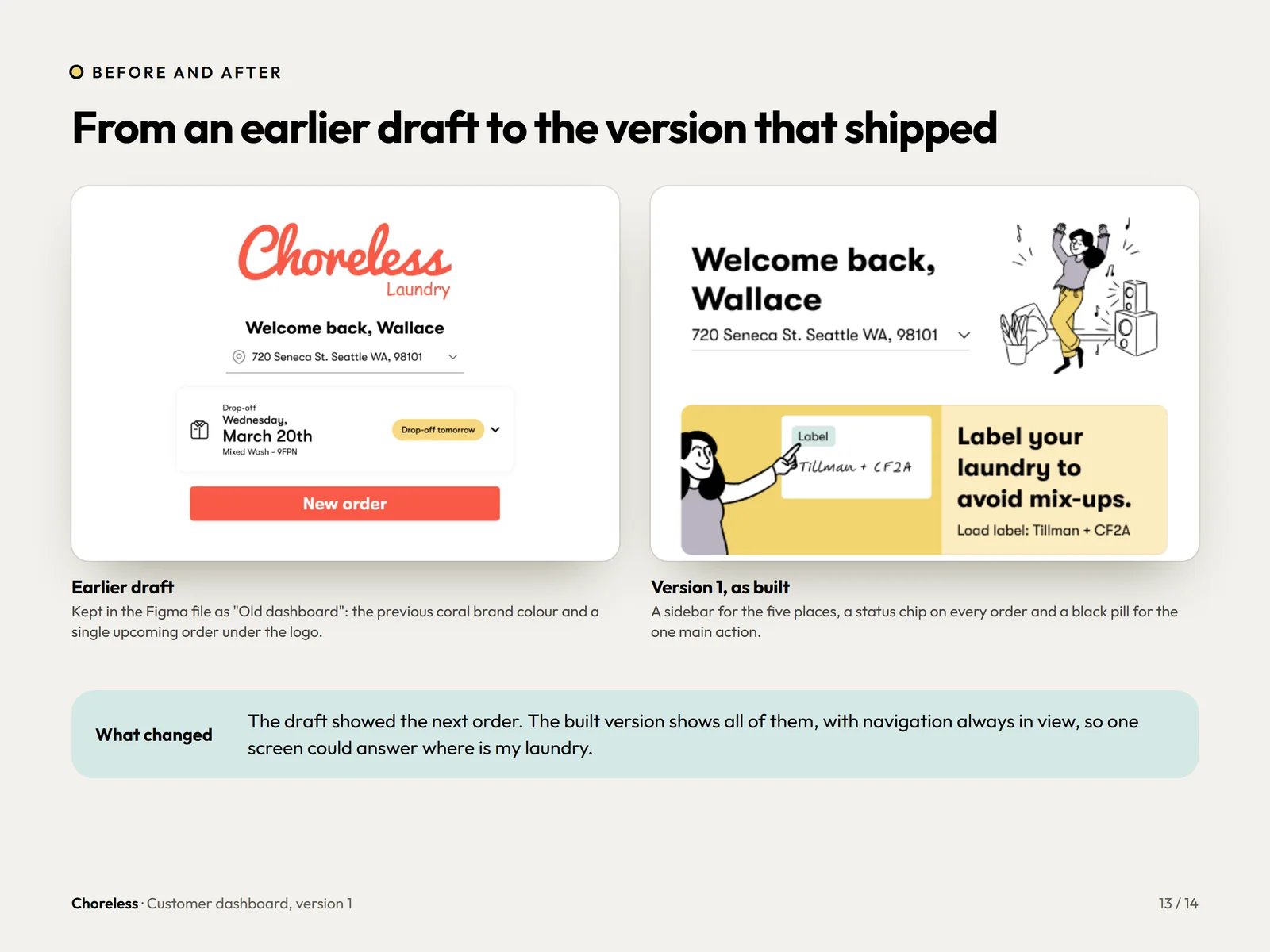
From an earlier draft to the version that shipped.
The draft showed only the next order. The built version shows all of them, with navigation always in view.
Want a flow this clear?
A first version tells you what to build, and a live one tells you what to change. If your customers still email to ask where their order is, we can fix that.